Stop Leaving Money On The Table With KDP Book Pricing
This post covers the hidden pricing mechanics of Amazon KDP that determine your royalty rate, search visibility, and total earnings—essential knowledge for any author selling on the platform. You’ll learn exactly where to price your book to earn more money, get better placement in Amazon search results, and attract the right readers for your genre.
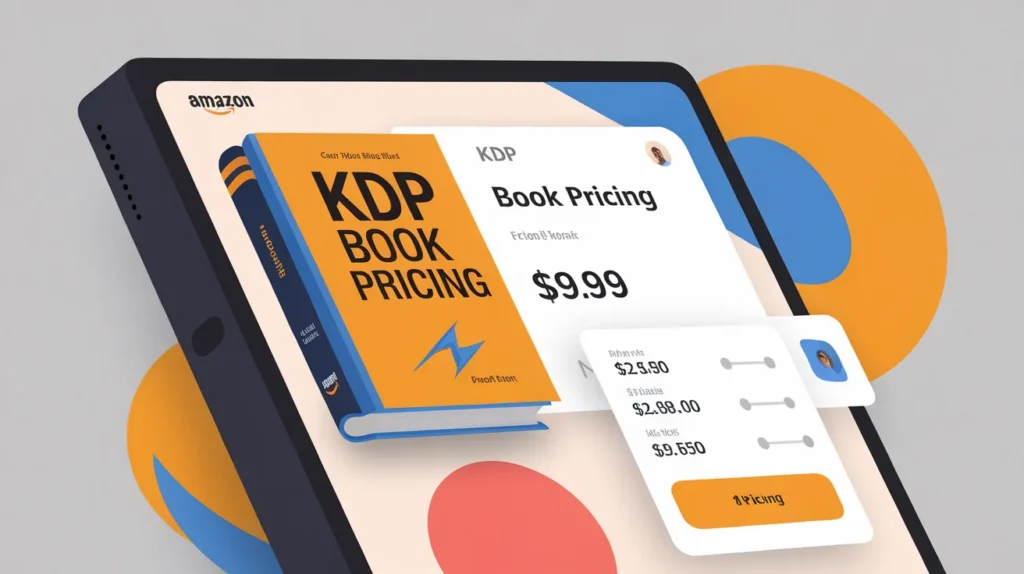
Setting your book at the wrong price loses you readers and money. The difference between a $2.99 and a $3.99 book isn’t just a dollar. It changes your royalty rate and where Amazon places you in search. Smart kdp book pricing turns browsers into buyers and casual authors into earners.
The Royalty Cliff You Need to Know
Amazon gives you two royalty options: 35% and 70%. The catch is simple. You only get 70% if you price between $2.99 and $9.99. Price your book at $2.98 and you get 35%. Price it at $10.00 and you drop back to 35%.
This creates a pricing trap most authors walk right into. Say you write a 400-page nonfiction book. You think it’s worth $12.99 because of the value inside. You set that price and earn $4.55 per sale at 35%. If you priced at $9.99 instead, you’d earn $6.99 per sale at 70%.
You actually make more money at a lower price. The math reverses what feels natural.
The delivery fee eats into your 70% royalty too. Amazon charges you per megabyte to deliver your book. A text-only novel costs almost nothing. A cookbook with 200 photos can cost $2 or more in delivery fees. Your actual take-home shrinks fast when images bloat your file size.
Check your file size before you choose a price. Upload a draft and see what Amazon calculates. Compress images if the delivery fee cuts too deep into your margin.
Competitive Pricing Based on Genre and Length
Romance readers expect $3.99 to $4.99 for a full-length novel in 2026. Price at $9.99 and they scroll past. Nonfiction readers pay more. A business guide sits comfortably at $7.99 to $9.99. A cookbook can stretch to the top of the range.
Length matters more than authors admit. Readers check page count before they buy. A 150-page romance at $4.99 feels expensive. The same price for 350 pages feels like a deal. Amazon shows estimated page count right on your product page.
Look at the top 20 books in your exact subcategory. Open each listing and note the price. Note the page count too. You’ll see a pattern emerge within minutes. Most genres cluster around two or three price points.
Match the cluster or go slightly under. Don’t undercut by too much. A $0.99 book in a $4.99 genre signals poor quality. Readers assume you know your book doesn’t measure up.
Series starters get special treatment. Many authors price book one at $0.99 or $2.99 to hook readers. They earn real money on books two through five at $4.99. This only works if you have multiple books ready to publish.
How KDP Book Pricing Affects Your Visibility
Amazon’s algorithm weighs price when ranking search results. A $4.99 book appears higher than a $0.99 book if both get similar engagement. Amazon makes more money from the higher-priced sale. They promote what profits them most.
Price also determines which promotional tools you can access. Kindle Countdown Deals only work for books enrolled in KDP Select. Your regular price must sit between $2.99 and $9.99. Free promotions through Select give you visibility spikes. You can’t run them if you price outside that range.
Readers filter search results by price range. Someone searching for thriller novels might set a maximum of $5.99. Your $6.99 book never appears in their results. You lose the sale before they see your cover.
Changing your price after launch resets some signals in Amazon’s system. Your sales rank adjusts within hours. Reviews stay but momentum can stall. Plan your launch price carefully because switching costs you more than money.
Testing Price Changes to Find Your Sweet Spot
Run a price test over four weeks minimum. Start at $4.99 for two weeks. Track total sales and total revenue. Switch to $3.99 for two weeks. Track the same numbers.
More sales at a lower price doesn’t always mean more money. Suppose you sell 20 copies at $4.99. That’s $69.86 in royalties at 70%. Now suppose you sell 28 copies at $3.99. That’s $78.12 in royalties. The lower price wins.
But suppose you only sell 24 copies at $3.99. That’s $67.20. The higher price wins despite fewer sales.
Also-boughts shift when you change price. A $4.99 book appears alongside other $4.99 books. Drop to $2.99 and you show up next to cheaper titles. Your new neighbors might convert better or worse. Watch where Amazon positions you after each change.
Never test during a promotion. Run tests during normal sales periods only. A Countdown Deal or external ad skews your data completely. You won’t know if price or promotion drove the change.
International Pricing and Currency Decisions
Amazon lets you set different prices for each marketplace. Your $4.99 US price doesn’t auto-convert to £4.99 in the UK. The pound trades higher than the dollar. A direct conversion makes your book too expensive for British readers.
Most authors let Amazon set international prices automatically. Amazon converts your US price and adds local taxes. This works fine for casual publishers. You lose optimization opportunities but avoid headaches.
Manual pricing gives you control and complexity. You might price at $4.99 US and £3.49 UK. UK readers get a relative bargain. Your UK sales might jump. But you have to update seven marketplaces every time you run a sale.
European markets add VAT to your price. A €4.99 book costs readers more after tax. Your royalty calculates before VAT. Amazon collects and remits the tax separately. Don’t inflate your price to cover VAT. Readers already expect it.
Japan and Brazil have smaller English-language markets. Set reasonable prices there but don’t overthink them. Your US and UK prices matter far more to total income.
Discounting Without Destroying Perceived Value
Temporary discounts drive sales without cheapening your brand. Drop from $4.99 to $0.99 for five days. Readers see the regular price crossed out. They feel like they caught a deal. Your perceived value stays intact.
Permanent low prices signal different intent. A $0.99 book forever says you don’t value your work. A $4.99 book on sale to $0.99 says you’re running a promotion. Readers make this distinction faster than you think.
Countdown Deals work better than straight price drops for this reason. Amazon displays a timer and the original price. The scarcity pushes fence-sitters to buy now. You can run a Countdown once every 90 days per marketplace.
Stack a discount with an ad campaign for maximum impact. Drop your price to $0.99 and run Amazon ads the same week. Your cost per click stays the same. Your conversion rate jumps because the price looks irresistible. You lose margin per sale but gain volume.
Avoid yo-yo pricing patterns. Don’t drop to $0.99 every month. Readers catch on and wait for your next sale. They never buy at full price again. Run promotions quarterly at most.
Adjusting Price After Reviews and Sales Momentum Build
Early reviews let you raise prices with confidence. Launch at $2.99 to get traction. After 20 reviews come in and sales stabilize, test $3.99. Your social proof now justifies the increase.
A book with 200 reviews can command more than one with 12. Readers trust the crowd. They’ll pay an extra dollar when dozens vouch for quality. Your review count appears right next to your price.
Sales rank momentum protects you during a price increase. A book ranked 5,000 in the Kindle Store has daily organic sales. Raise the price by a dollar and most buyers won’t flinch. A book ranked 150,000 has minimal traffic. Any price increase kills the trickle you had.
Raise in small steps only. Jump from $3.99 to $5.99 and you shock your audience. Go from $3.99 to $4.49 instead. Monitor for a week. If sales hold steady, try $4.99 next month.
Seasonal niches let you flex pricing around demand. A tax guide sells best in January through April. Price at $7.99 during tax season. Drop to $4.99 in summer when urgency fades. You capture maximum value when buyers need you most.
Frequently Asked Questions
What is the best price to launch a new KDP book?
Launch between $2.99 and $4.99 to qualify for 70% royalty while staying competitive. Price toward the lower end if you have few reviews. Raise it after you build social proof and momentum.
Can I change my KDP book price after publishing?
You can change your price anytime through your KDP dashboard. Updates appear within 24 hours across all Amazon marketplaces. Frequent changes can disrupt your sales rank and algorithm placement.
Does a lower price always mean more sales on KDP?
Lower prices usually increase unit sales but not always total revenue. You need to test your specific book and audience. Sometimes fewer sales at higher prices earn you more money.
Should I price my ebook and paperback the same?
No. Paperbacks cost more to produce and readers expect higher prices. Price paperbacks at least $4 to $6 above your ebook. Amazon shows both options on the same page.
How does KDP Select affect my pricing strategy?
KDP Select requires exclusivity but unlocks Countdown Deals and free promotions. You must price between $2.99 and $9.99 to use these tools. Non-Select books can price anywhere but lose promotional options.
Pick a starting price in the 70% royalty range and test adjustments every month until you find what converts best for your specific audience.